
Recent Windows 11 updates increase responsiveness by up to 20 percent on PCs with limited memory. The update also brings a rebuilt Photos app, faster image loading, and AI search tools.
Microsoft rolled out updates to Windows 11 that make the operating system up to 20 percent more responsive and optimize system memory, according to a company blog post. As TechRadar reported, the speed increases arrived in the October update following evaluation in the September preview update, comparing system performance against how the software ran at the start of 2026.
Memory adjustments for 8GB computers
The speed gains stem largely from refined system resource handling and memory efficiency, written by Navjot Virk, Microsoft’s corporate vice president of Windows Experiences. In the blog post, Virk explained that Windows 11 now holds up to 2GB more active data directly inside system RAM rather than shunting those tasks over to slower storage drives. That change is designed to keep machines snappy as people open additional applications or launch more browser tabs.
These memory adjustments deliver what Virk described as “an especially meaningful difference” for computers equipped with 8GB of memory. On machines that have 8GB of RAM or less, Windows 11 no longer runs desktop widgets in the background continuously. Instead, widgets initialize only when a person opens them, which frees up more than 200MB of memory for other computing tasks. Speed differences will still depend on specific computer hardware and configurations, but Microsoft noted that benchmarked gains were measured across search, the Start menu, desktop File Explorer folders, the right-click menu, Settings, and the Snipping Tool. Microsoft described the overall update by stating, “The result is a Windows experience that’s up to 20% more responsive, with improvements you can feel as soon as you boot into your PC.”
Revamped Photos app and photo viewing
Alongside the operating system tweaks, Microsoft updated its default photography software. The native photo editor has been rebuilt around WinUI 3, which serves as the modern interface framework for Windows 11. Following the rebuild, the photo editor opens 25 percent faster than earlier versions and includes redesigned menus. It also adds new image-editing tools, including a repair feature designed to eliminate unwanted objects and a relight tool to adjust picture lighting quickly.
Related: Apple adds AI features and MotionVFX
The accompanying image viewing tools also received speed upgrades. TechRadar reported that the photo viewer launches around 15 percent faster on average and displays pictures up to 30 percent faster, featuring a simplified layout that lets people see more of each photograph. According to Engadget, the native viewer loads 30 percent quicker overall. Microsoft also introduced an overhauled Gallery that gathers images stored on the computer alongside cloud photos from OneDrive and Apple iCloud. The new Gallery offers quicker startup times, more fluid scrolling, and natural-language search capabilities, allowing users to type prompts like asking for pictures of a dog on the beach to pull up matching files.
Bluetooth reliability, logins and AI search
The updates also introduce quality improvements for system connections and security logins. Windows 11 now pairs more quickly with Apple AirPods as part of a wider effort to improve Bluetooth headphone reliability. In addition, sign-ins through Windows Hello are now faster, easier, and more reliable.
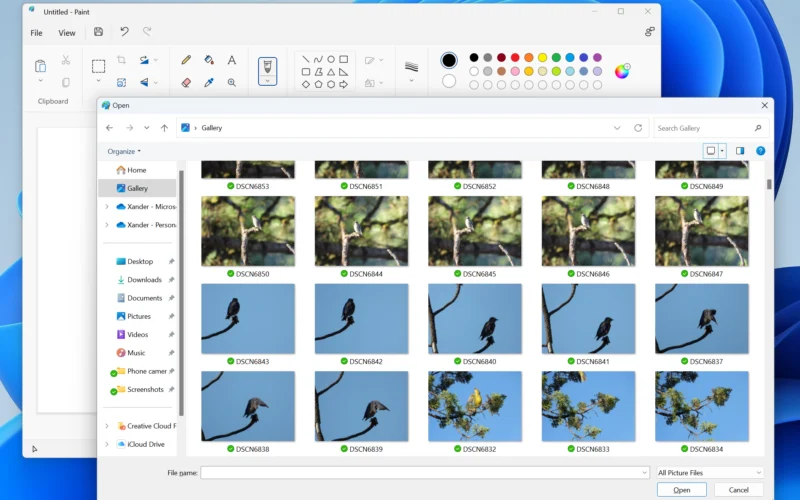
Meanwhile, members of the Windows Insider preview program can test an updated AI-powered search experience that Microsoft introduced a week earlier. The feature lets testers execute thousands of different actions directly from the search bar, effectively turning Search into a chatbot. Insiders can also test the revamped Photos application and unified cloud gallery before the features roll out to all users.
What came before and what happens next
The performance release follows earlier changes Microsoft made to Windows 11 to address user complaints and improve software stability. Previous updates adjusted the taskbar and Start menu, streamlined how Windows updates install, and upgraded search to make it faster, more accurate, and less taxing on system memory.
While the October update has only been available for several days and user feedback is still emerging, Microsoft plans to deliver additional performance tuning before 2026 ends.
Follow-up: Microsoft details Windows 11 speed gains